Coming from YNAB
Where to find YNAB migration
Open the settings menu for your budget, choose Import data, then select YNAB migration under Choose import type. This is the full importer, separate from the Import button inside an account.
Use the files from your YNAB export. Nothing about your YNAB account is changed; ReadyCents reads the files you provide.
- Upload the Plan CSV into Upload YNAB Plan CSV. This supplies the envelope groups, envelopes, and budgeted history.
- Upload the Register CSV into Upload YNAB Register CSV. This supplies the accounts and transaction history for review.
- Check that both files appear under Detected files, then review the migration preview before confirming the import.
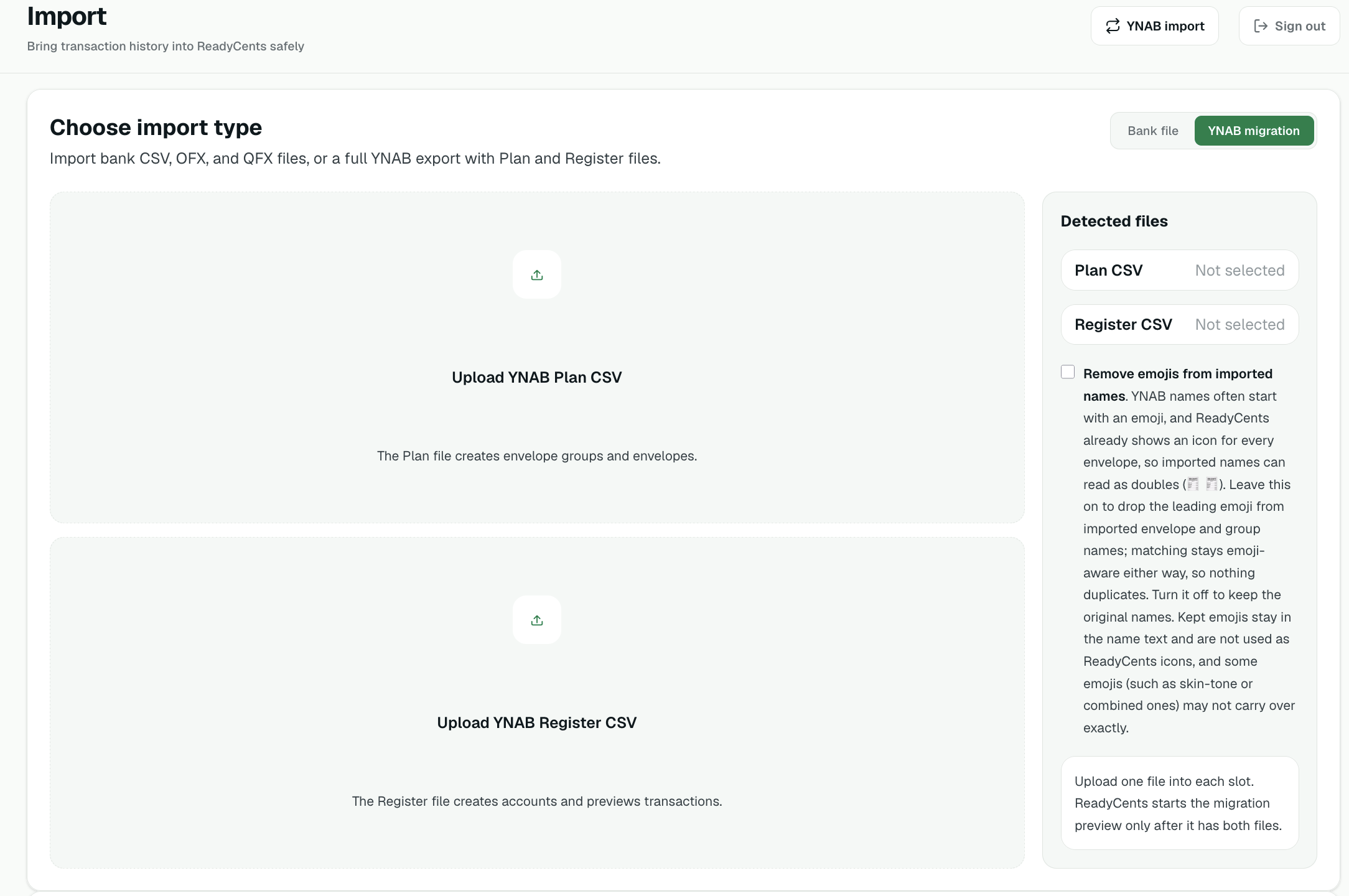
YNAB users often prefix envelope names with emojis (🍎 Groceries). The importer understands those: it matches envelopes emoji-insensitively, and offers a one-click option to strip the emoji prefixes if you'd rather use ReadyCents' own envelope icons. Either way you won't end up with doubled emojis.
CSV, OFX, and QFX files
Import a bank file inside the account
Open the account that should receive the transactions and select Import. The Import bank transactions dialog keeps that account as the destination.
- Check the account name at the top of the dialog. If it is not the account you intended, cancel and open the correct account.
- Select Choose a CSV, OFX, or QFX file and choose your bank export.
- For CSV files, check the column mapping. Review the transactions, any warnings, and possible duplicates before selecting Import.
Nothing is saved until you confirm the preview. For a bulk import or a YNAB migration, use Need a bulk or YNAB import? Open full Import at the bottom of the account dialog.
Automatic envelopes for imports is an optional Budget Features setting saved to your ReadyCents account for each budget, so it follows you to other devices. When it and Envelope autofill are both on, CSV, OFX, QFX, Plaid, SimpleFIN, and LunchFlow outflows can use an explicit payee rule you already created. File previews explain the rule and let you change or remove the envelope before importing. Manual entry uses the same saved payee rule through Envelope autofill. ReadyCents does not learn or create new rules from imported activity.
Duplicate protection
Imports compare account, amount, date, and direction against what's already recorded, so importing the same file twice or importing a file that overlaps your bank sync doesn't double your transactions. When ReadyCents isn't sure, it shows you the suspected duplicate and lets you decide, including a per-row override when you know it's genuinely a separate charge.
